Project / 08
Arcway
An accessibility-focused desktop assistant combining conversation, screen understanding, supervised browser automation, and local memory.
- Category
- Desktop · Accessibility
- Year
- 2026
- Role
- Creator
- Status
- Desktop application
Premise
Make everyday technology easier to navigate.
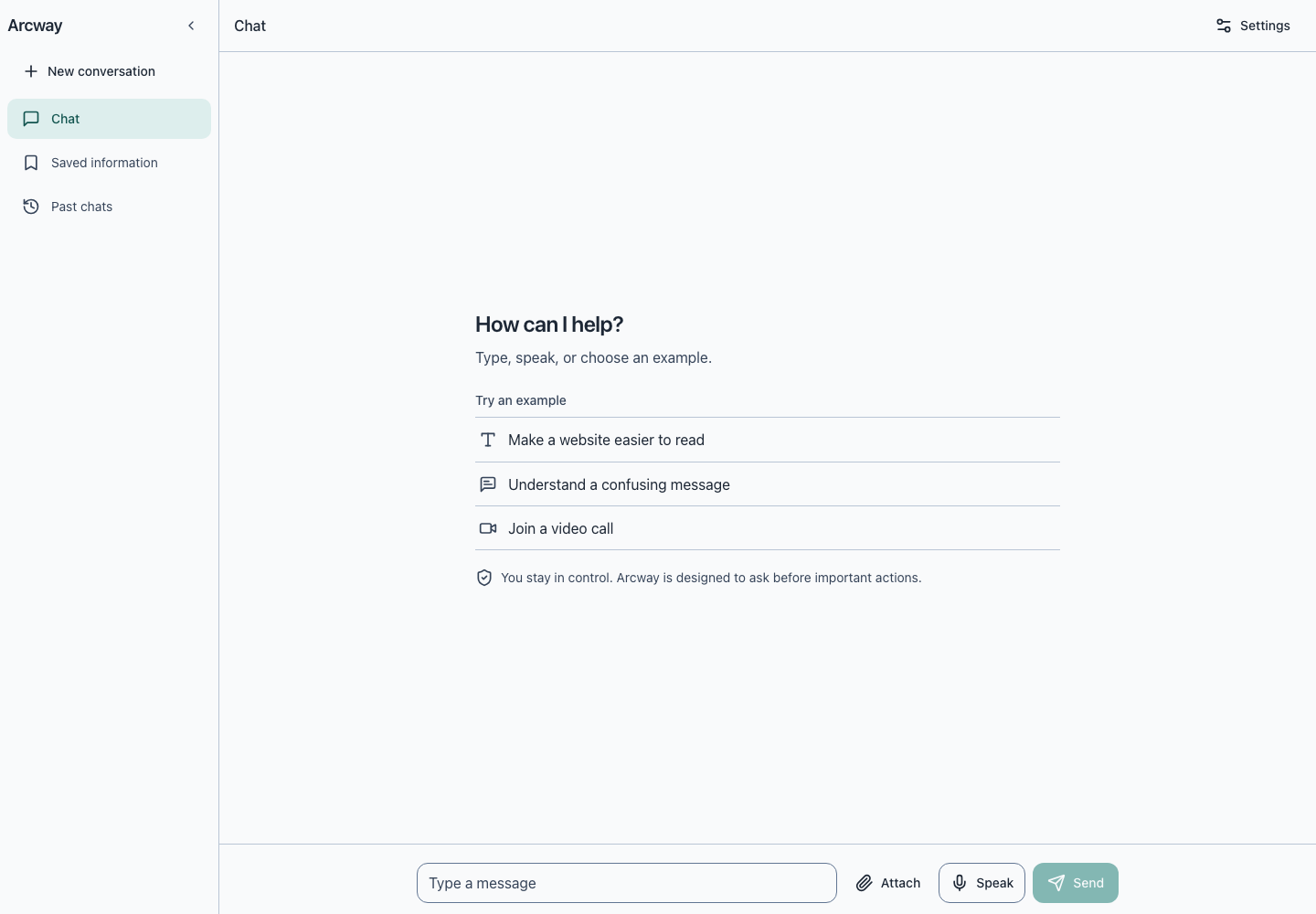
Arcway brings typed and spoken conversation, screen understanding, browser tasks, and saved context into one desktop application.
The central product rule is supervision. Purchases, submissions, messages, credential entry, account changes, uploads, downloads, and destructive actions require explicit confirmation.
Interaction
A guided task stays under the user's control.
The application keeps the request, proposed action, and resulting evidence visible throughout the task.
Ask
Type, speak, record audio, or share a screenshot.
Understand
Arcway interprets the request and available screen context.
Plan
The browser task is broken into visible progress steps.
Confirm
Sensitive actions pause for an explicit user decision.
Remember
Approved conversations and facts stay in local SQLite storage.
System
A local desktop shell around distinct service boundaries.
The API key stays in the backend environment and is never bundled into the renderer or packaged executable.
React renderer
- Chat and voice interface
- Session history
- Knowledge graph
- Accessibility controls
Electron main
- IPC boundary
- Local WebSocket
- Application lifecycle
- Packaged backend launch
FastAPI backend
- Gemini models
- Browser Use
- Task events
- SQLite memory
- Local boundary
- The backend binds to 127.0.0.1 and packaged builds add a per-launch bearer token.
- Memory
- Sessions, task events, artifacts, and approved facts are stored locally by default.
Boundaries
Guardrails are part of the product contract.
| Concern | Current choice | Why it matters |
|---|---|---|
| Browser control | Supervised assistance | The user reviews sensitive actions before they continue |
| Credentials | Backend environment only | Secrets do not enter the renderer or packaged source |
| Personal context | Local SQLite storage | Conversations and memory remain on the device by default |
| Distribution | Unsigned development artifacts | Public release still requires signing, hardening, and notarization |
Build notes
Accessibility is treated as a working system.
Multiple inputs
Typed chat, recorded audio, screenshots, and live voice share one conversation surface.
Operable interface
Keyboard navigation, screen-reader announcements, text scaling, high contrast, and reduced motion are supported.
Visible execution
Task progress, screenshots, session history, and saved information remain inspectable instead of disappearing behind the agent.
Still unresolved
What a public release would still need.
Distribution trust
Developer signing, hardened runtime validation, and notarization are not configured yet.
Operational safety
Browser automation remains vulnerable to misleading pages and incorrect model output, so supervision stays essential.
Provider resilience
Production use needs stronger failure handling across voice, model, browser, and memory services.